
What is new in the software solution Power Path V26 version?
The POWER PATH team is constantly developing and improving the Power Path® solution. Behind the scenes, our development and support teams work daily to create, improve and research new functionalities, providing customers with new and innovative approaches to power line design. In front of you is the 'What's New' document, which describes what the latest version brings.
The latest version of the Power Path solution is Power Path V26, build 26.1.08. Published in October 2026.

Enjoy exploring and using the new functionalities!
Foreword
Power Path offers numerous benefits for power line design and project development, including:
- 2D design and advanced 3D BIM modeling
- Generation of calculation reports
- Customization of power line components
- Reduction of information-sharing restrictions
- Increased project transparency
- Enhanced project visualization
- Import/export of IFC (BIM) models
- Import/export of GIS (SHP, KMZ/KML, Geodatabase, GML) data
- Integration of online maps and WMS data
- Seamless project sharing with all data for the next phases (construction, operation, maintenance and management)
Power Path solution is not limited just to the power line design process; it is a powerful CAD and BIM solution for 2D drafting and 3D BIM modeling in AEC (Architecture, Engineering and Construction) industry.
Power Path V26 is a new version which installs and runs separately from previous Power Path versions, allowing different versions to be installed on the same computer.
Always get the latest version for the best Power Path experience.
Added new commands and functionalities for power line design
- Convert to Power Line
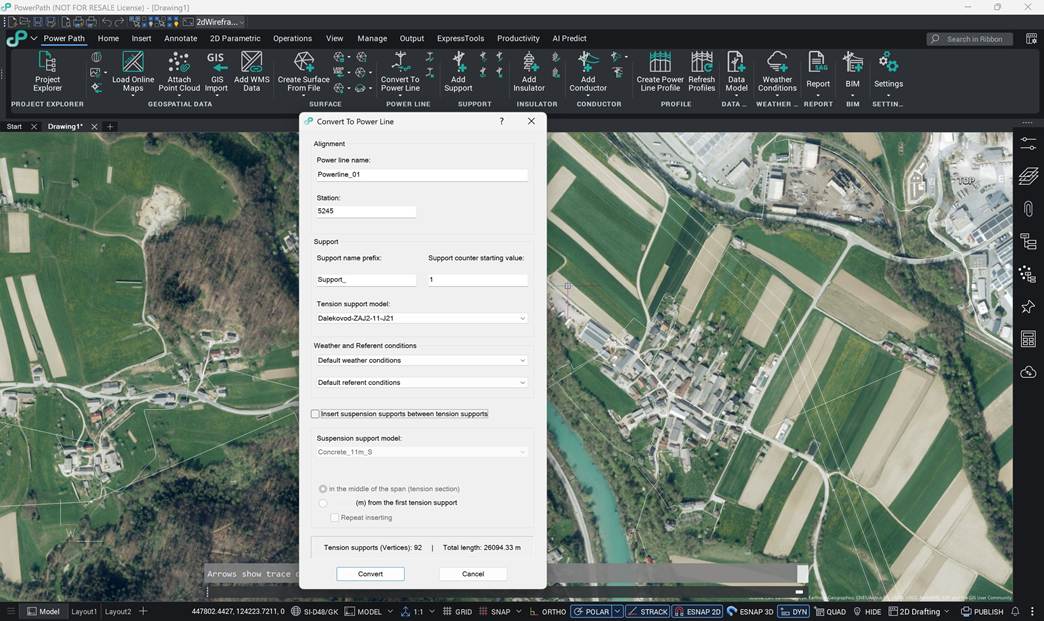
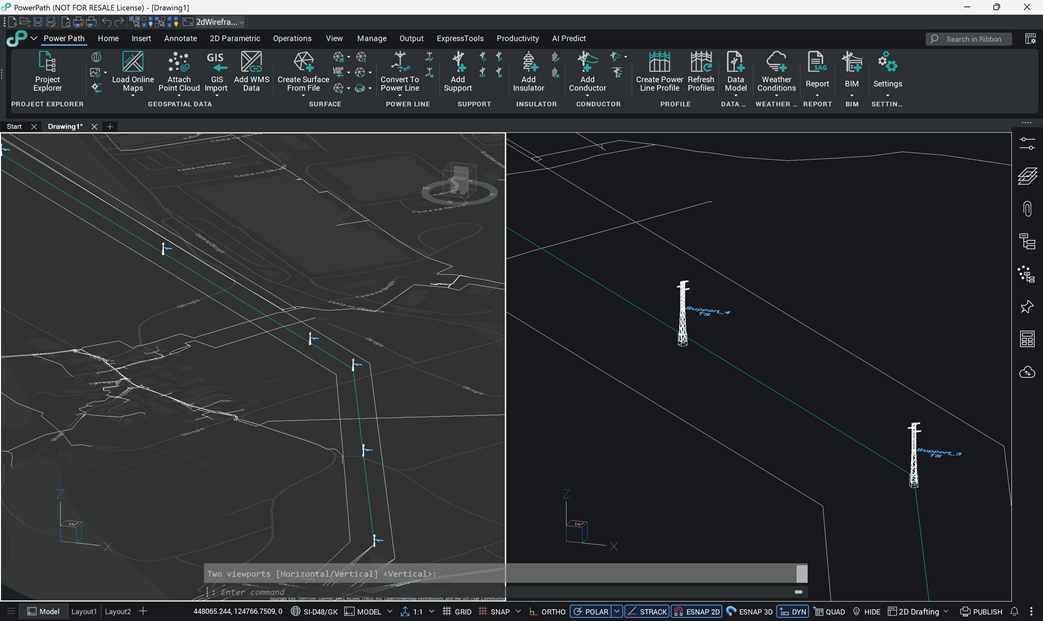
The new command Convert to Power Line (PP_CONVERTTOPOWERLINE) creates a power line from a line entity. The command automatically draws the power line alignment with supports, based on the following CAD entities: line, polyline and 3D polyline.
Using this command, the user can create a power line from a linear element that was either drawn in the drawing or imported as geospatial data (GIS data), e.g.:
- ESRI Shapefile (.shp),
- KML/KMZ (.kml and .kmz),
- ESRI Geodatabase (more complex GIS datasets stored in an Esri geodatabase structure),
- GML (Geography Markup Language) file format.
- Project Explorer – Refresh of a single profile view
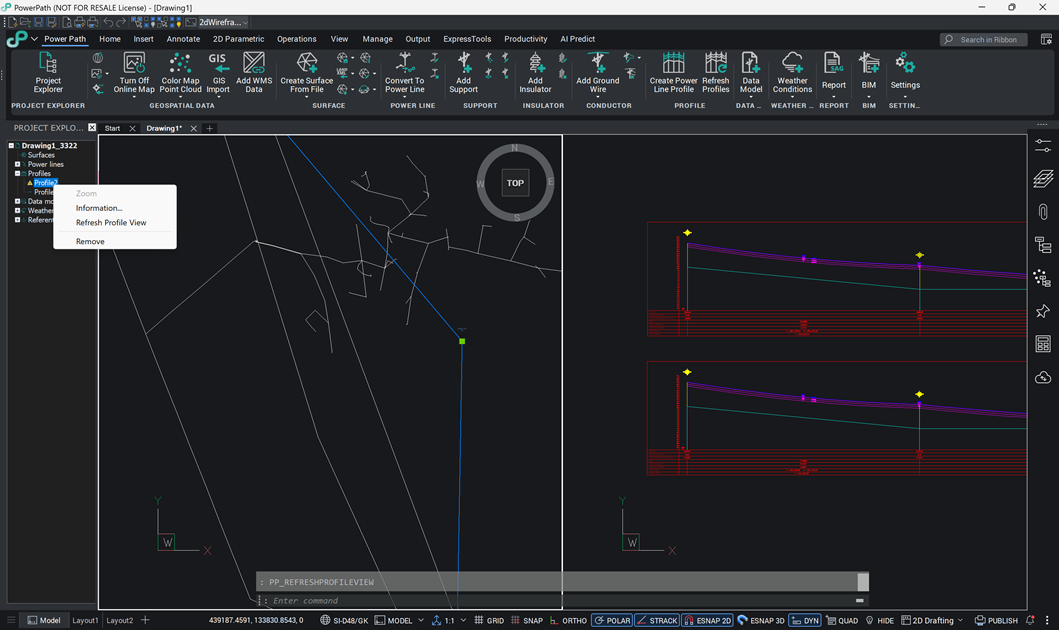
A new command has been added to Project Explorer (PP_PROJECTEXPLORER) for refreshing an individual power line profile view. Users can now refresh a single profile view, in addition to the existing option of refreshing all profile views.
Upgraded or/and extended existing commands and functionalities for power line design
- Performance and Optimization for Large Power Line Projects
Power Path V26 brings significant improvements in software performance and optimization. The software now handles considerably longer power lines and much more complex input data (such as terrain models, survey data, GIS data and similar sources) than previous versions. As a result, users can design complex power line projects with alignments that are several tens of kilometers long.
These improvements also bring:
- faster creation and editing of power lines,
- reduced size of saved .dwg files,
- reduced size of saved .ifc files,
- the ability to add other complex BIM models created in other software solutions,
- lower load on computer hardware.
Overall, this makes Power Path an even more stable software solution, with no limitations on project complexity.
- Settings
The solution now includes additional support for selecting and switching between multiple technical standards (guidelines, manuals and/or codes). Support has been added for the following standards: Austrian, Belgian, British, Czech, Danish, Dutch, Estonian, Finnish, French, Icelandic, Latvian, Lithuanian, Polish, Portuguese, Slovak and Swiss.
The new standards complement the standards already available in the previous version: Bosnian, Croatian, General, German, Italian, Montenegrin, North Macedonian, Norwegian, Romanian, Serbian, Slovenian, Spanish and Swedish.
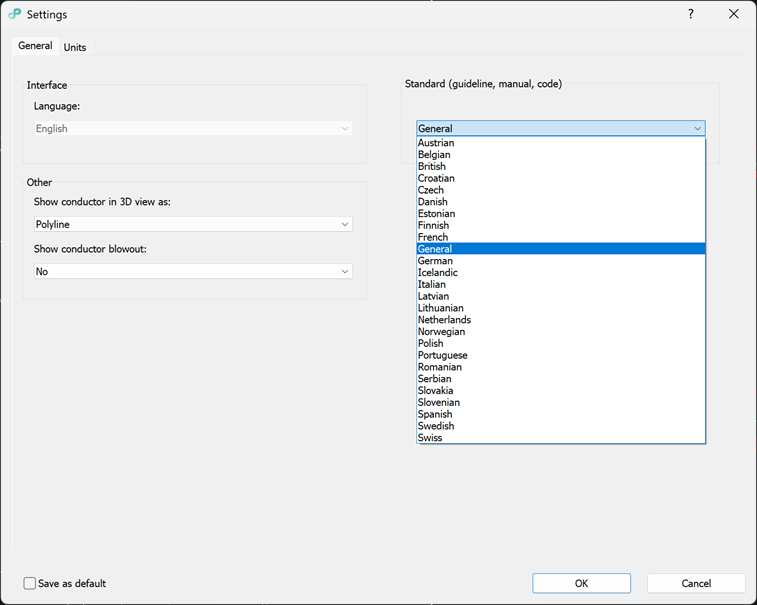
When running the software for the first time, it is recommended to select the desired standard under the General tab, which will be applied to the project.
- Add Weather Conditions and Edit Weather Conditions
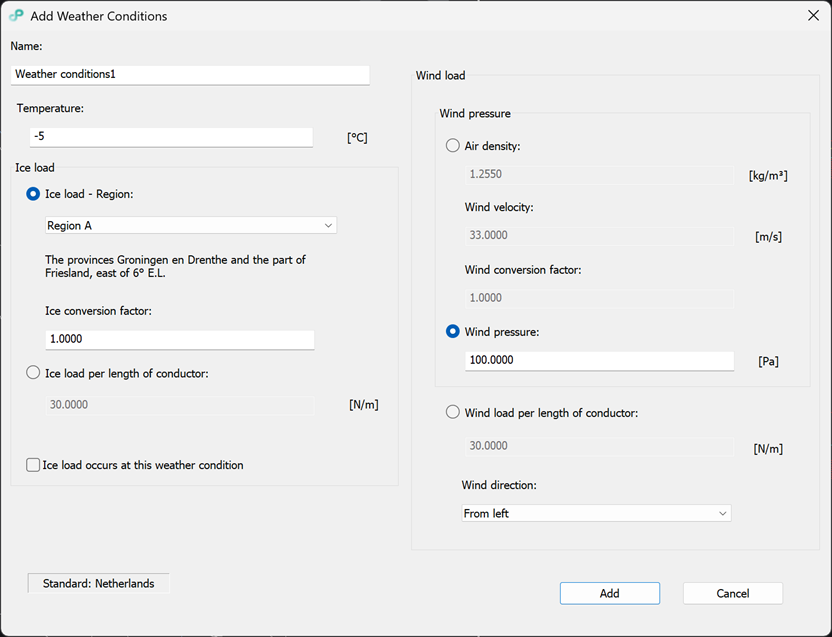
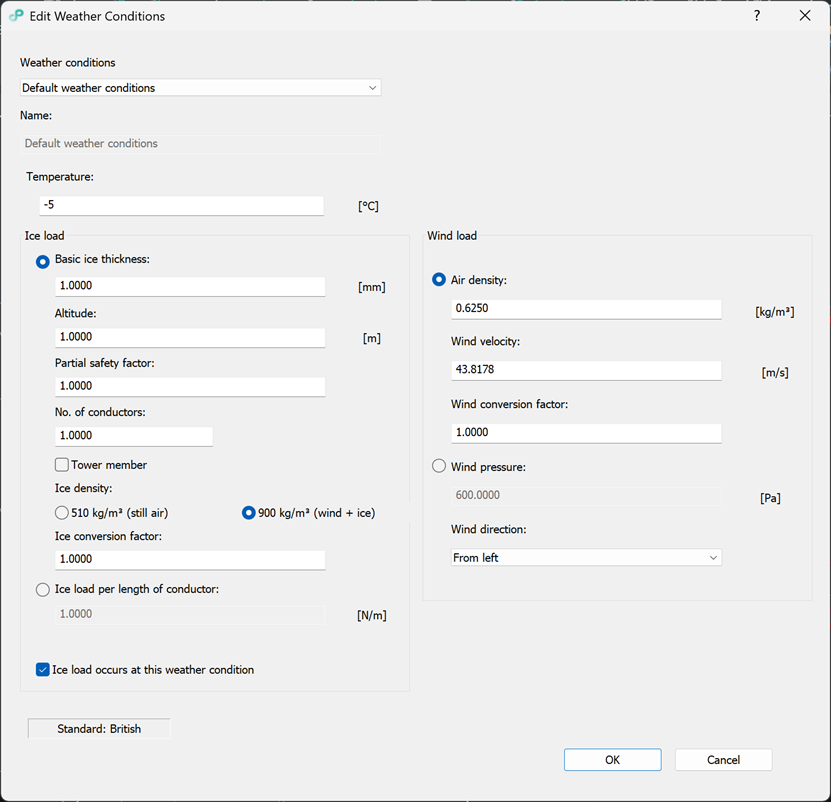
The dialogs (PP_ADDWEATHERCONDITIONS, PP_EDITWEATHERCONDITIONS) are now adapted and expanded as needed, depending on the parameters required for calculations based on the selected standard. The visual layout of the dialogs may vary from one standard to another.
- Create Sag-Tension Report, Create Quantity Report, Create Support Report
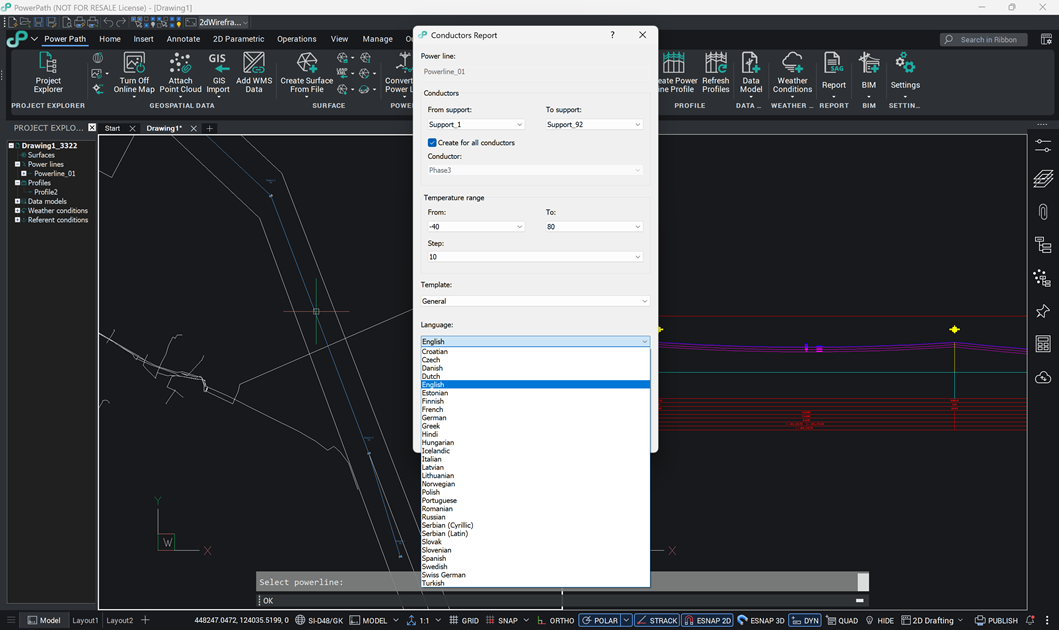
Added support for exporting reports in the following languages: Belgian, Danish, Dutch, Finnish and Icelandic.
Report generation has also been improved: .xlsx and .txt reports are now created regardless of whether Microsoft Excel or a text viewer application is installed on the user's computer.
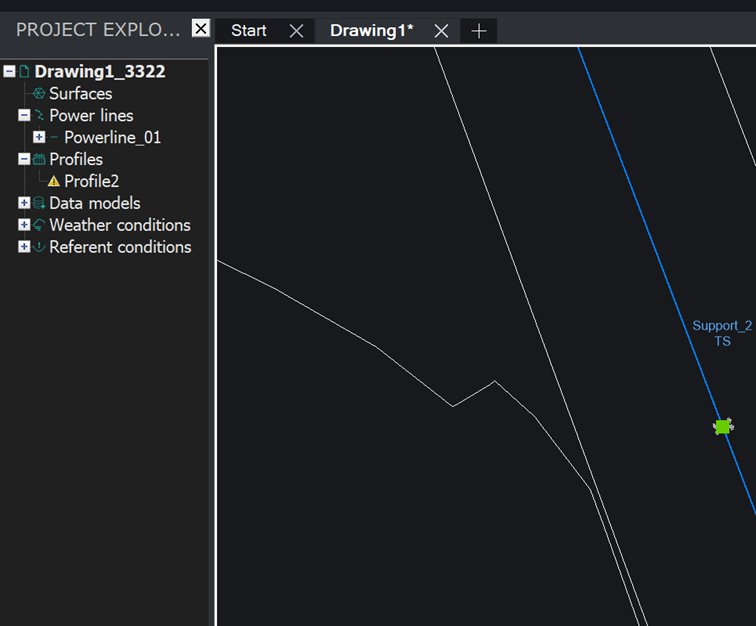
- Project Explorer – Profile consistency warning
Added a graphical warning that is displayed when the alignment or power line elements are modified and a previously drawn profile is no longer consistent with the originally created power line. This allows users to visually identify which profile views have not been refreshed.
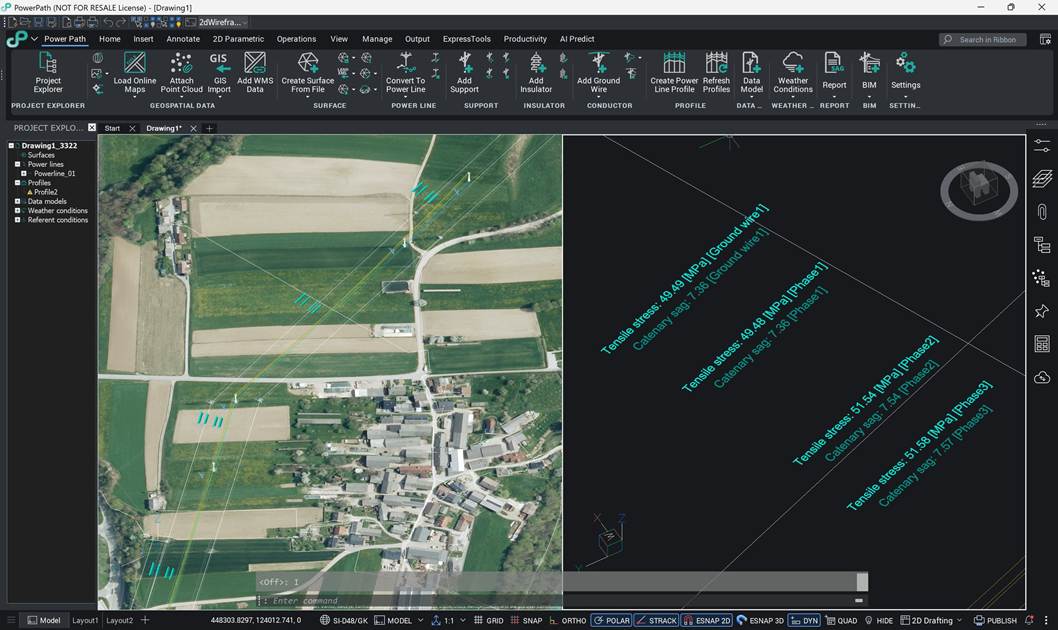
- 3D Model Labels
Added display of conductor (catenary) stress labels in the 3D model (preview) of the power line.
The new stress labels and the existing catenary sag labels are placed on a separate new layer, which users can turn off or freeze if they do not want the labels to be visible.
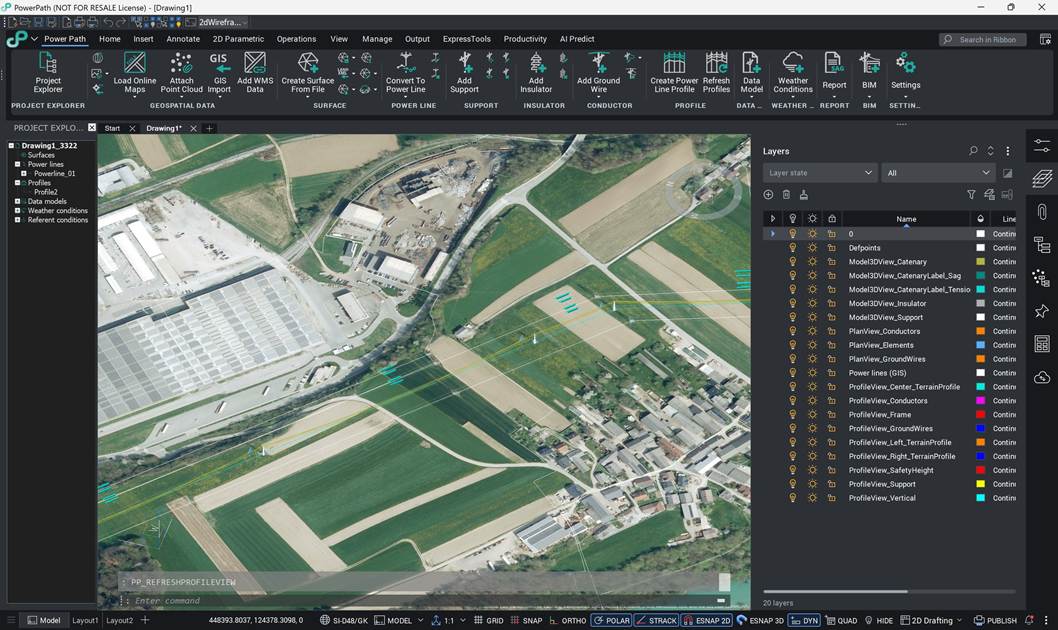
- New Layer System
The entire system of predefined layers has been upgraded with new layers, for easier layer management and better 2D and 3D visualization of the created power line elements.
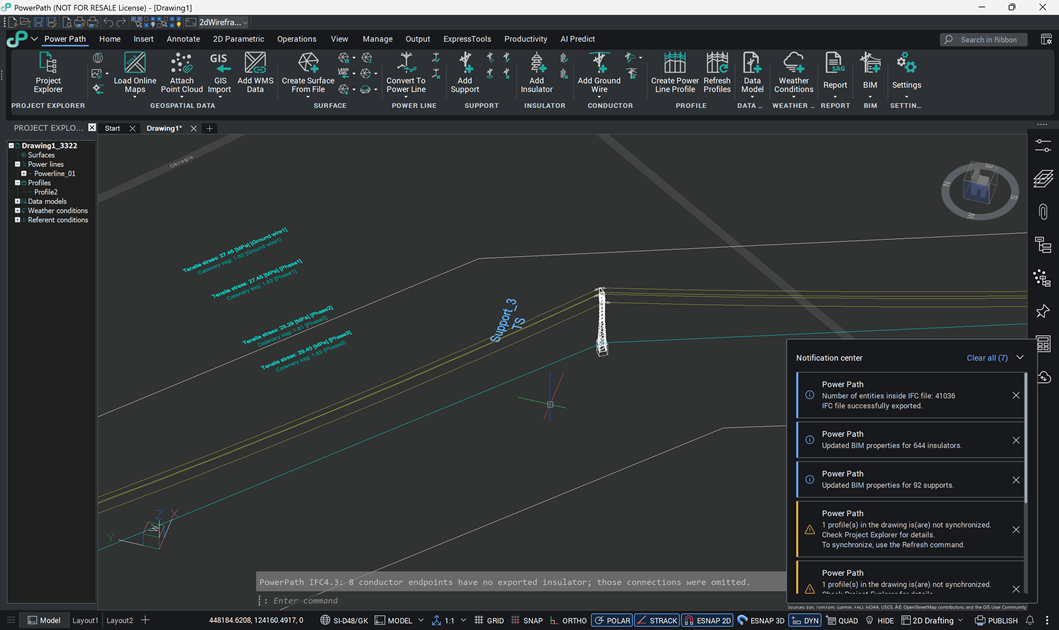
- Notification and Warning System
To make users' work easier, the notification system has been improved and now provides more information about notifications and warnings. For example:
- when the power line alignment is changed, a warning is displayed that the profile is not consistent with the alignment,
- after exporting a BIM model, a notification is displayed with the number of exported elements.
- BIM Properties and BIM Classify
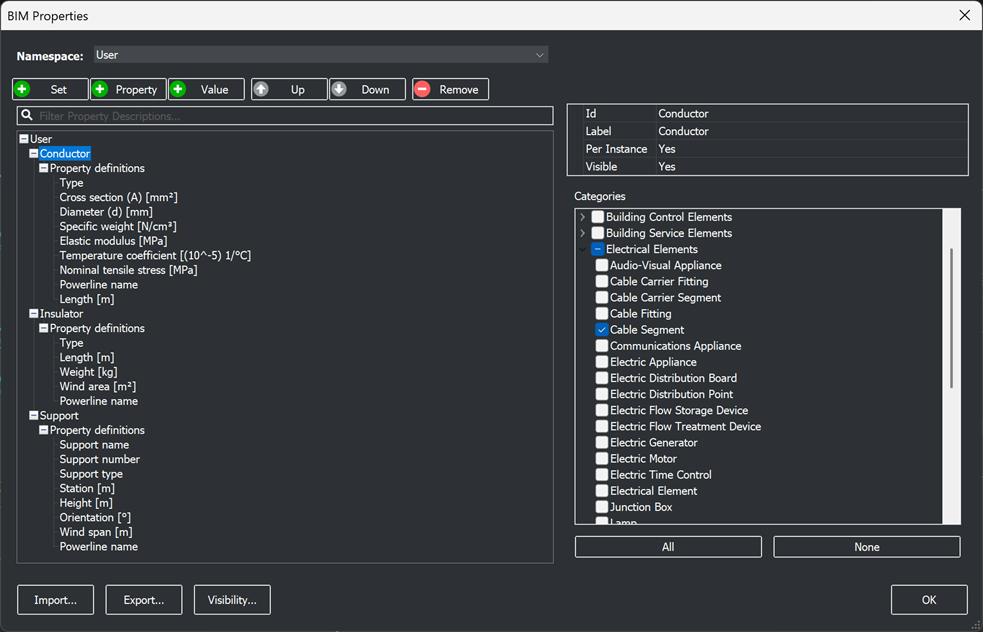
Added new object classifications (BIMPROPERTIES, BIMCLASSIFY;O) aligned with the IFC 4.3 schema.
- IFC Export
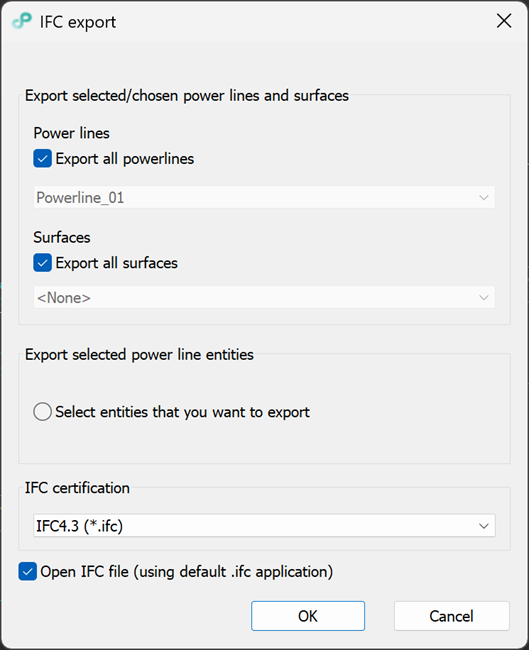
Upgraded support for exporting BIM models to IFC 4.3 (PP_IFCEXPORT). With this support, the export of power line BIM models complies with the buildingSMART International requirements for the .ifc file representation of alignment-based infrastructure facilities.
Fixed existing commands and functionalities for power line design
- Refresh Profile Views
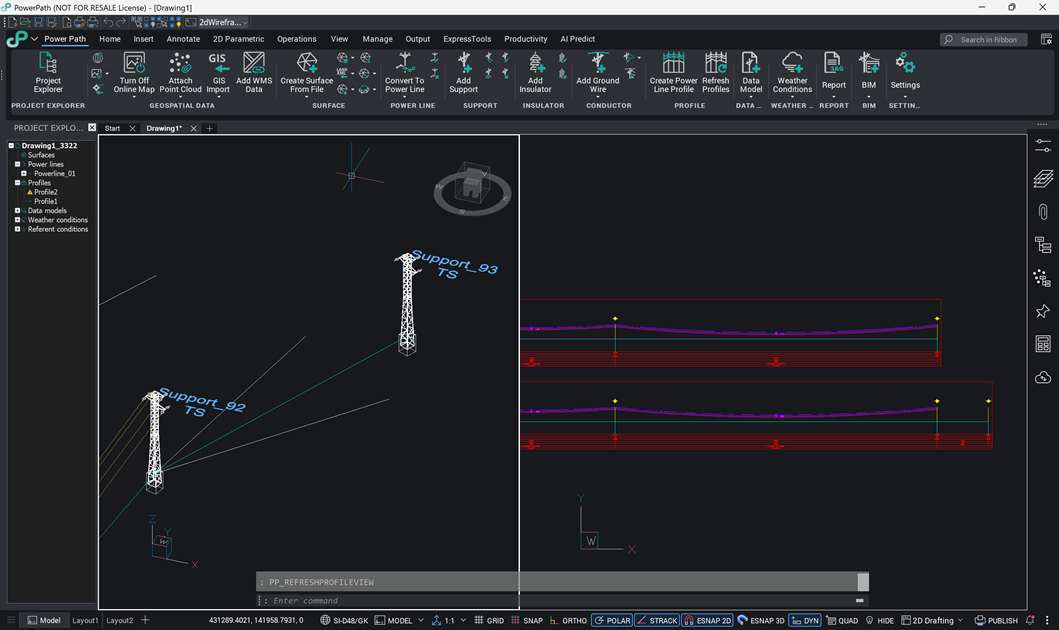
When tension supports are added to the layout, running the command for refreshing profile views (PP_REFRESHPROFILEVIEWS) now also loads the newly added tension supports.
Upgraded or/and extended other existing commands and functionalities
- GIS Import
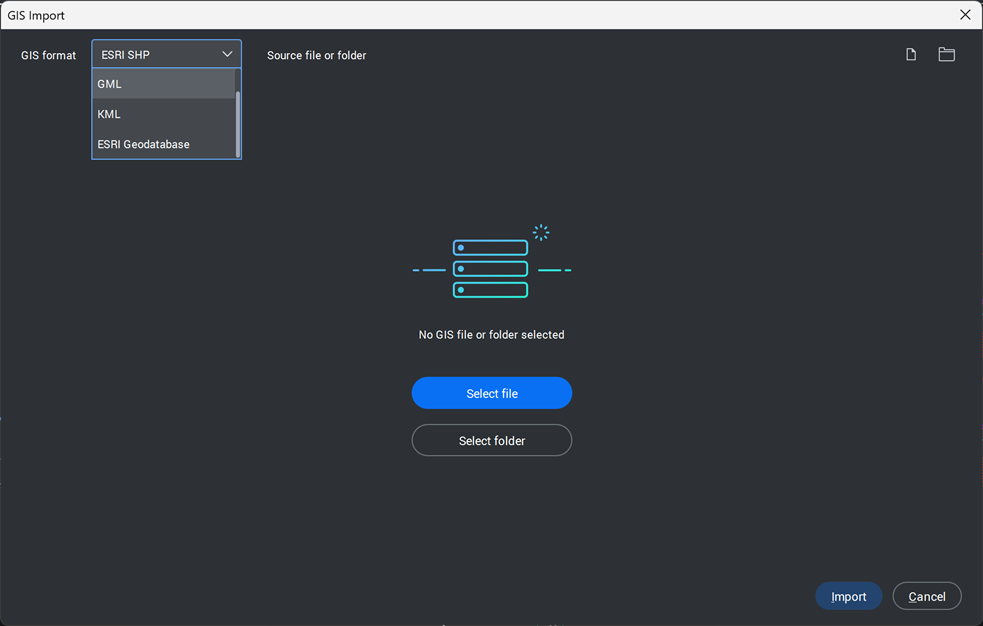
The command (GISIMPORT) has been extended to support importing GIS data in the GML (Geography Markup Language) format.
In addition to the existing option of importing elements as CAD polyline entities, it is now also possible to import more complex polygon (MPolygon) objects.
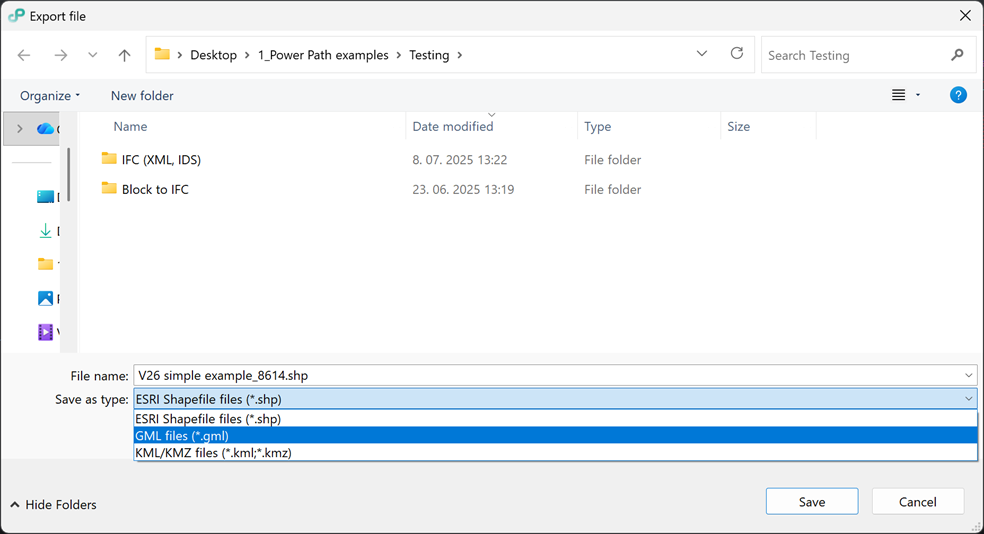
- GIS Export
The command (GISEXPORT) has been extended to support export to the GML (Geography Markup Language) file format.
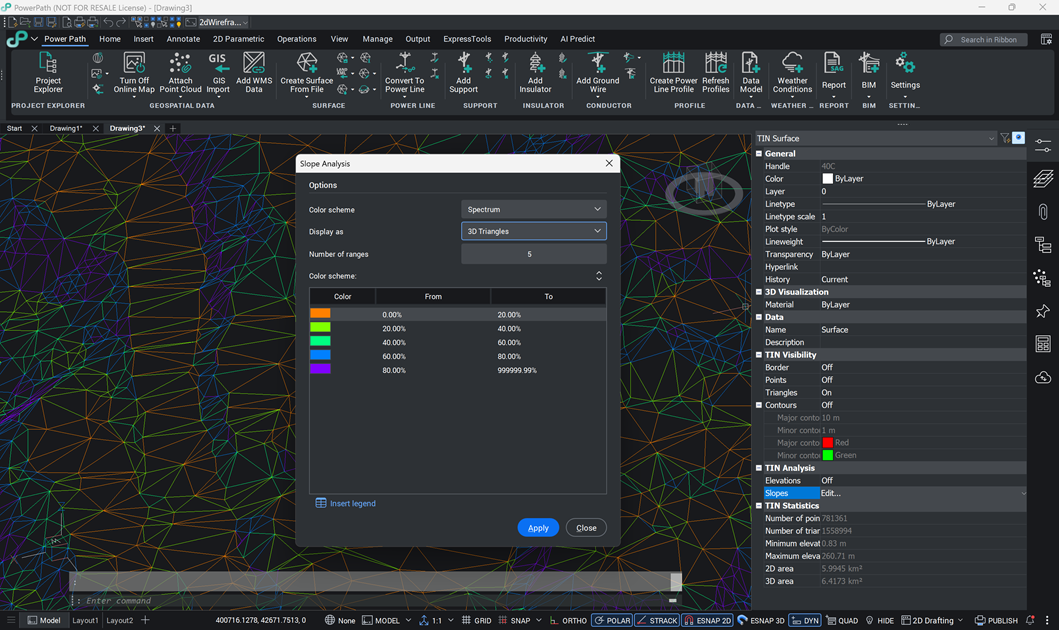
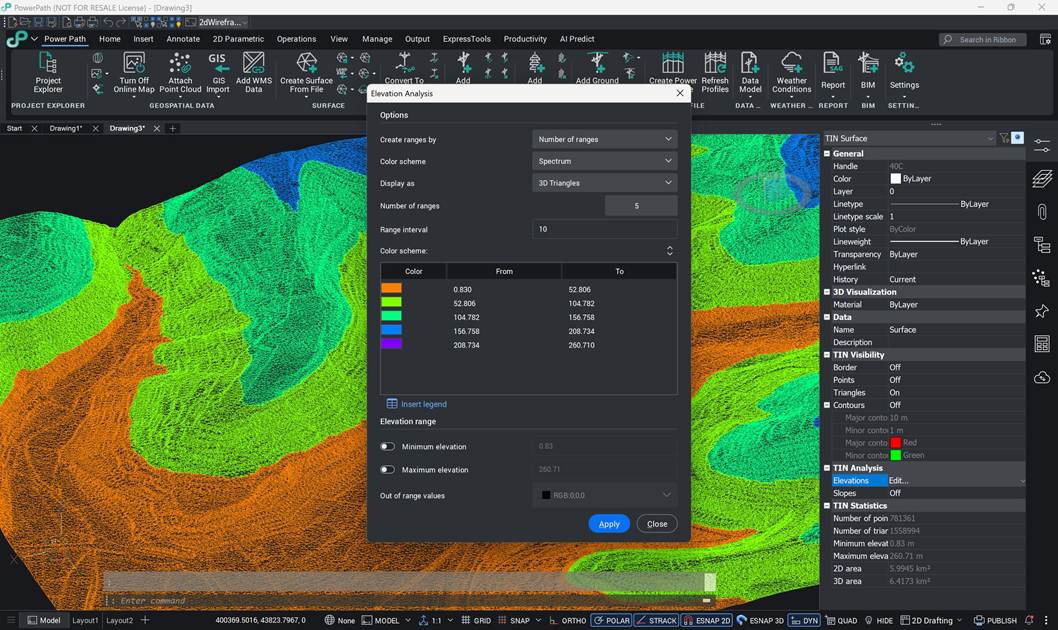
- TIN Surface
The TIN surface entity now has extended display options for elevation-based contour analysis, as well as for general slope and elevation analyses, with the option to insert the legend into the drawing.
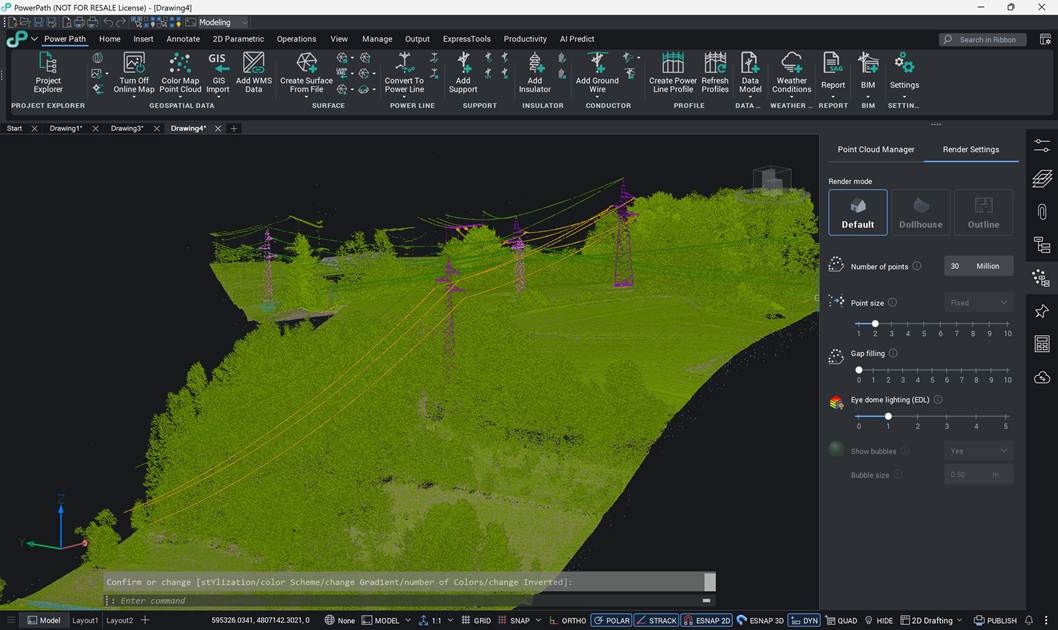
- Point Cloud Management
Working with Point Cloud entities has been improved:
- the display for analysis using a color map based on point elevations has been improved,
- the settings now show how many millions of points the selected Point Cloud contains,
- for better rendering, the user can now choose between 3 different rendering modes.
- Geographic Location
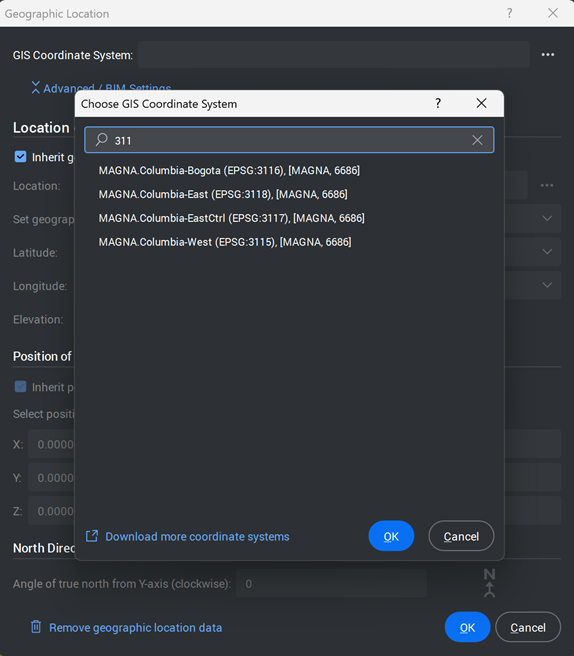
The dialog layout (GEO) has been improved for easier navigation, and new coordinate systems have been added: MAGNA-SIRGAS CRS (EPSG:3115–EPSG:3118, EPSG:20046, EPSG:9377) and Bulgarian coordinate systems.
Upgraded user experience and workspace
- User experience
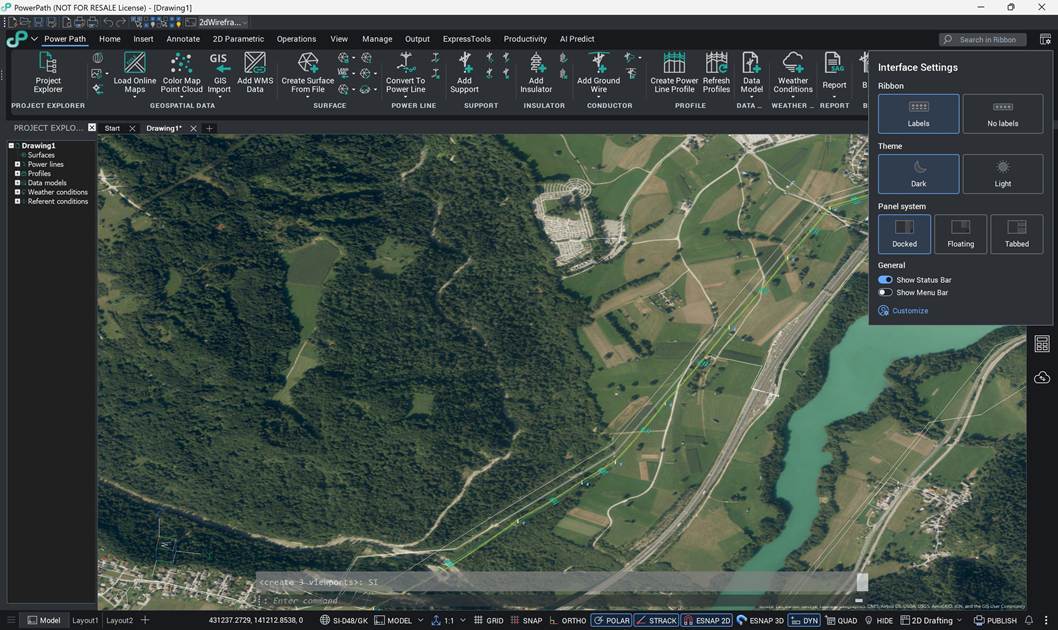
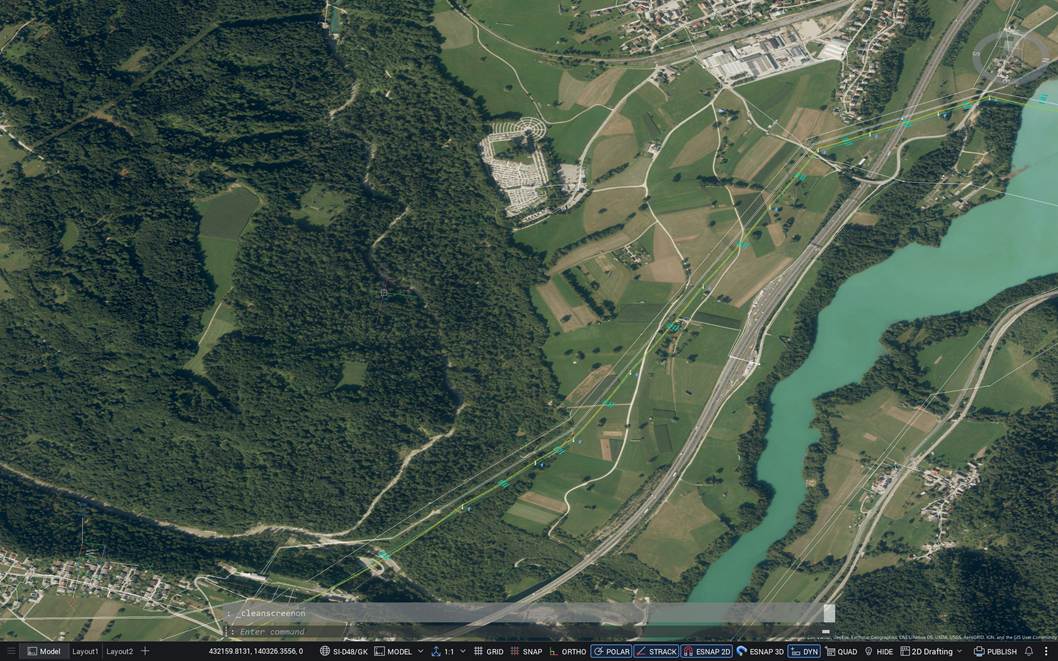
The Power Path® user experience has been improved with a cleaner and clearer working environment, primarily regarding the graphical elements of the program.
Instructions for installing the latest version and/or build of Power Path
Power Path V26 with build 26.1.08 (published in October 2026) is a new version which installs and runs independently from previous Power Path versions. This allows different Power Path versions to be installed on the same computer, so you can keep using your previous version while you start working in Power Path V26.
If you are installing Power Path V26 with build 26.1.08 for the first time, you need to start the installation process and follow the steps described in the following guides:
- Installation and Single License Activation - for single license or
- Installation and Network License Activation - for network license
Always get the latest version for the best Power Path experience.
Try Power Path V26
If you're ready to start creating power line projects using the BIM approach, simply import your data and use Power Path for all your 2D drafting and 3D modeling needs in engineering projects.
To download and try Power Path V26, visit the product website https://www.power-path.com/ and submit a request.
Thank you for choosing Power Path. We hope you will enjoy working with it and that it will make your design process easier!
Software developer: POWER PATH DOO
email: contact@power-path.com
web page: https://www.power-path.com/